
Nimbata’s Microsoft Ads integration lets you send call conversions directly to Microsoft Ads, so you can see which campaigns, ad groups, and keywords drive phone leads.
Connect Microsoft Ads
Create an offline conversion goal in Microsoft Ads
In Microsoft Ads:
- Go to Conversion Tracking > Conversion Goals.
- Click Create Conversion Goal.
- Give your conversion goal a name.
- Set the conversion type to Offline conversions.
- Click Next.
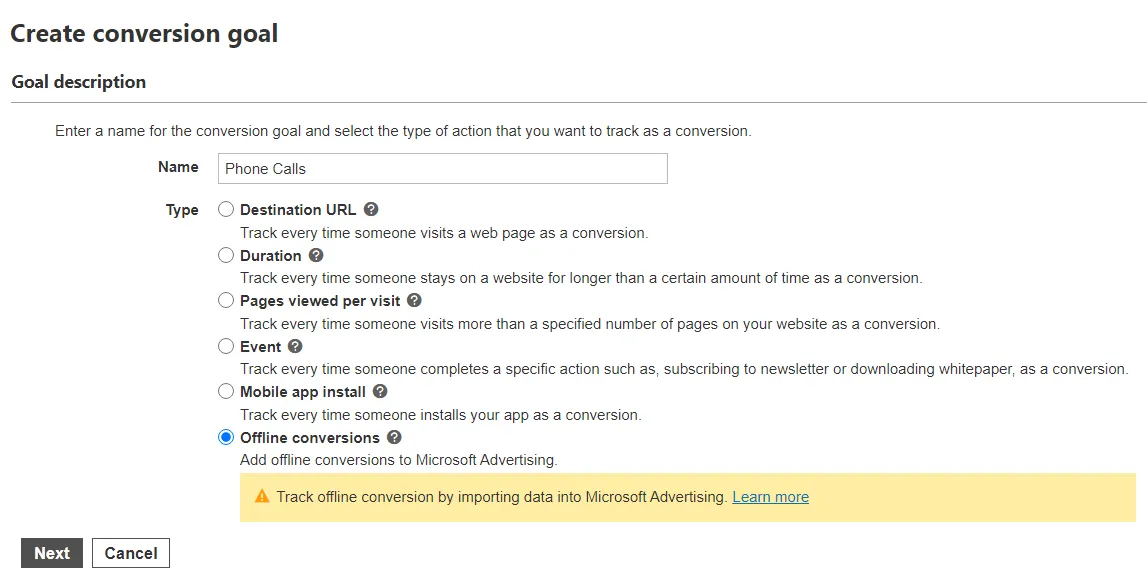
Set the scope, value, count, and conversion window that suit your needs.
- Check Include in Conversions.
- Click Save.
Connect your Microsoft Ads account in Nimbata
- Go to Integrations > Microsoft Ads and click Connect.
- In the pop-up, select the Microsoft account where you created the conversion goal.
- Then click Yes to grant Nimbata access.
- A confirmation message appears once connected.
Note
Make sure you connect the same account where the conversion goal was created.
Configure the integration
From the drop-down menus:
- Select the Ads Account and, under Offline Conversion Name, the conversion goal you created.
- Optionally, check Include value to send each call’s value, and Use enhanced conversion (see Enhanced conversions).
- Choose which calls are sent in a workflow: a workflow with a Microsoft Ads action sends the conversion for every call that matches its trigger and filters.
🎉 Done! Nimbata sends each call conversion to Microsoft Ads as soon as your workflow runs for the call.
Detailed guide: Create a workflow
Enhanced conversions
Microsoft Ads enhanced conversions help advertisers improve the accuracy of their conversion tracking and analyze their campaign performance. The feature uses first-party data to improve the measurement of conversions such as making a purchase, signing up for a newsletter, or other actions that users take on an advertiser’s website after clicking an ad.
Note
You first need to connect your Nimbata account to Microsoft Ads to activate enhanced conversions. See: Connect Microsoft Ads
Open the Microsoft Ads integration
- Go to Integration > Microsoft Ads.
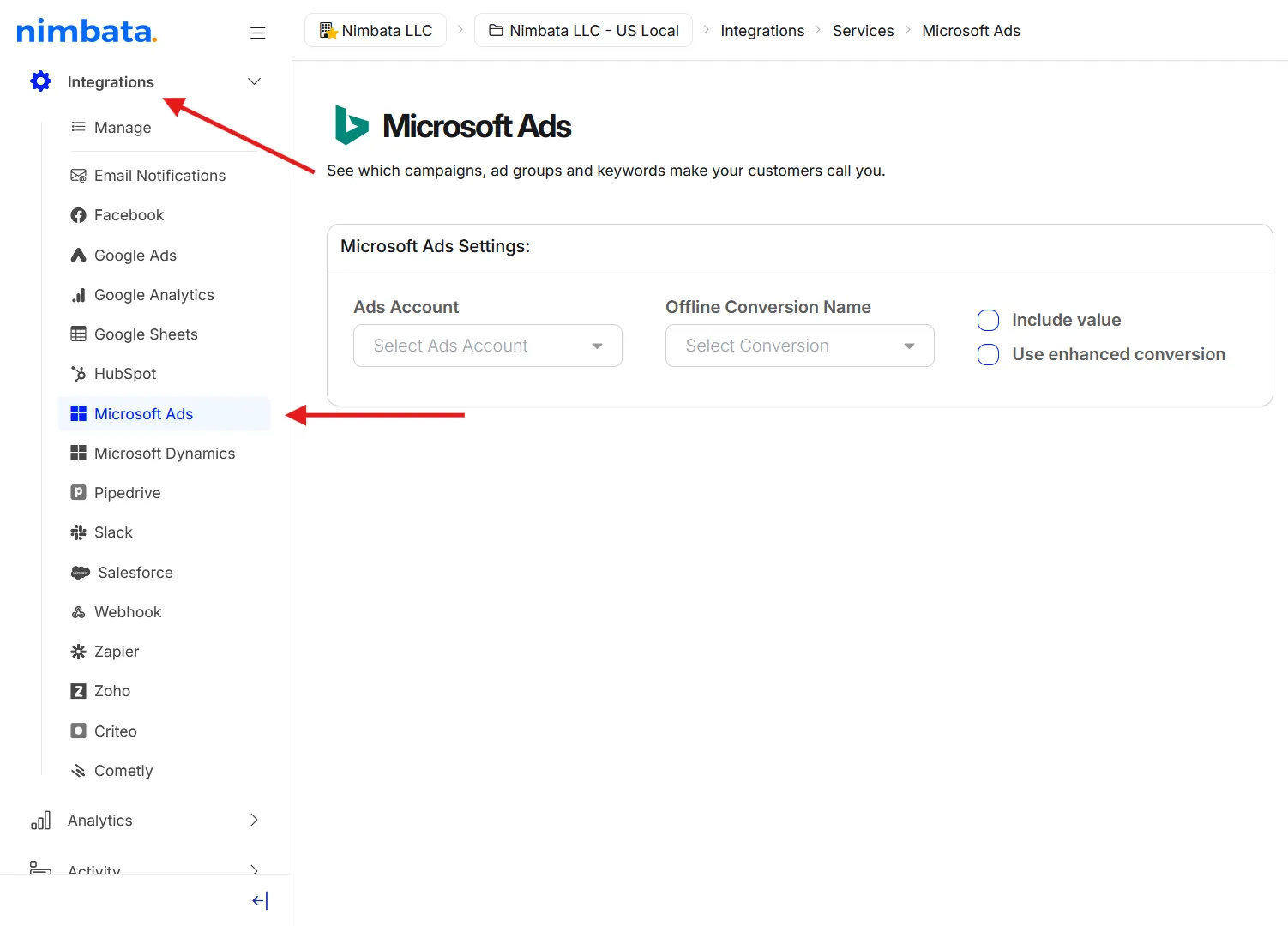
Check Use enhanced conversion
- Check the Use enhanced conversion box.
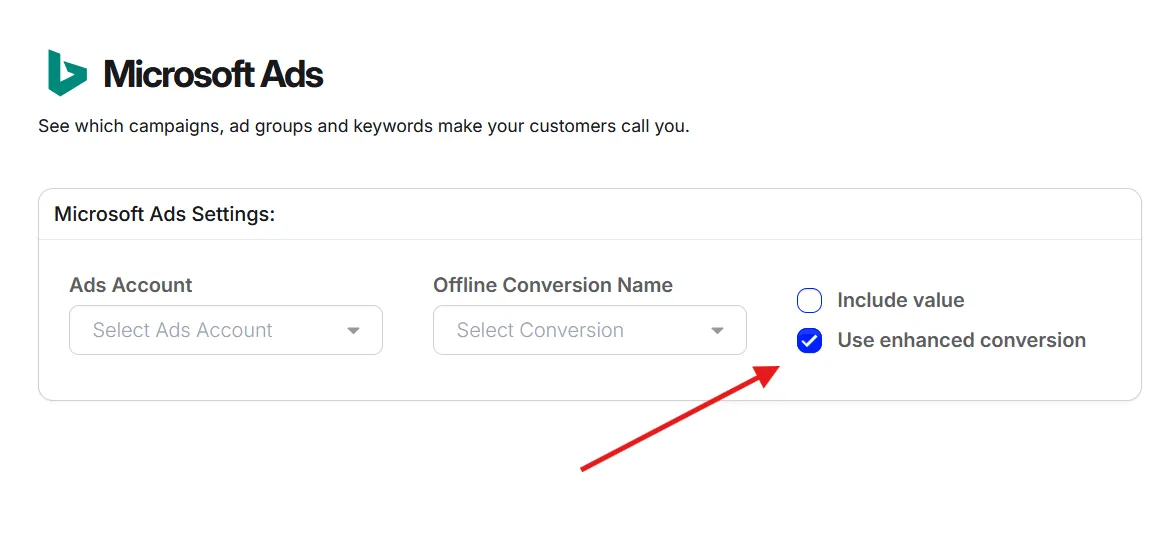
And that’s it! You can now send enhanced conversions to Microsoft Ads.