
Nimbata lets you receive SMS messages sent to your tracking numbers and reply to them, either directly from inside the Nimbata app or from the destination phone. This makes it easy to serve customers who prefer texting over calling, all from one place.
Tip
Your destination number must be SMS-capable for this feature to work. Check with your provider or Nimbata support if you’re unsure.
Note
Not every country supports SMS, so not every tracking number can receive texts. In the US, texts that arrive in Nimbata need no 10DLC registration; forwarding them on to your destination phone, or sending texts from Nimbata, does.
Receive SMS (inbound)
Open the Call Flow Builder
- Go to Call handling > Call Flows.
- Click Create to start a new call flow, or click an existing one to edit it.
Choose a template (new flows only)
- Select From Template.
- Choose Simple Call Flow.
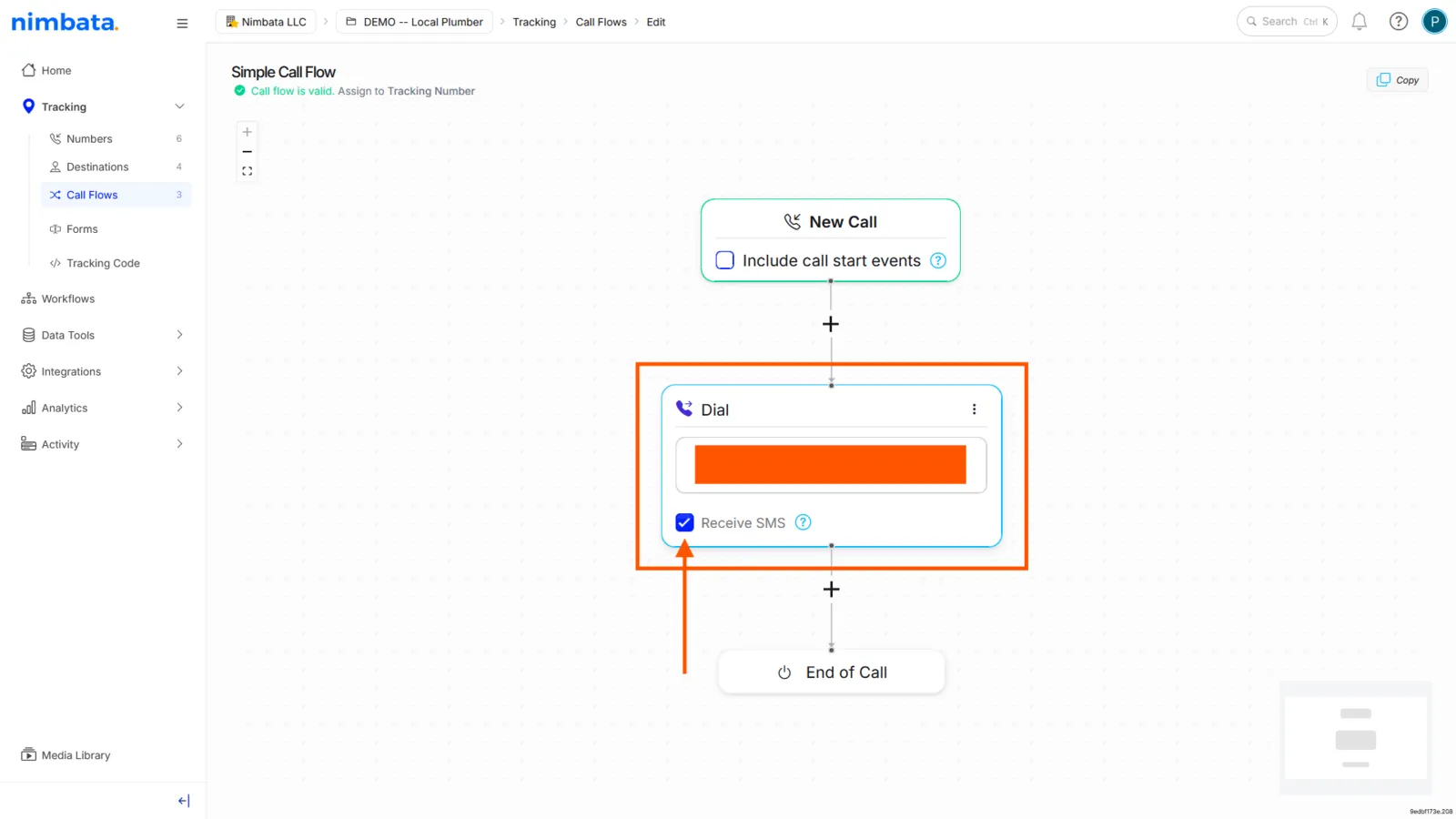
Enable SMS on the Dial action
- Click the Dial action.
- Add your destination phone number.
- Tick the Receive SMS checkbox below the number field.
Respond to SMS (outbound)
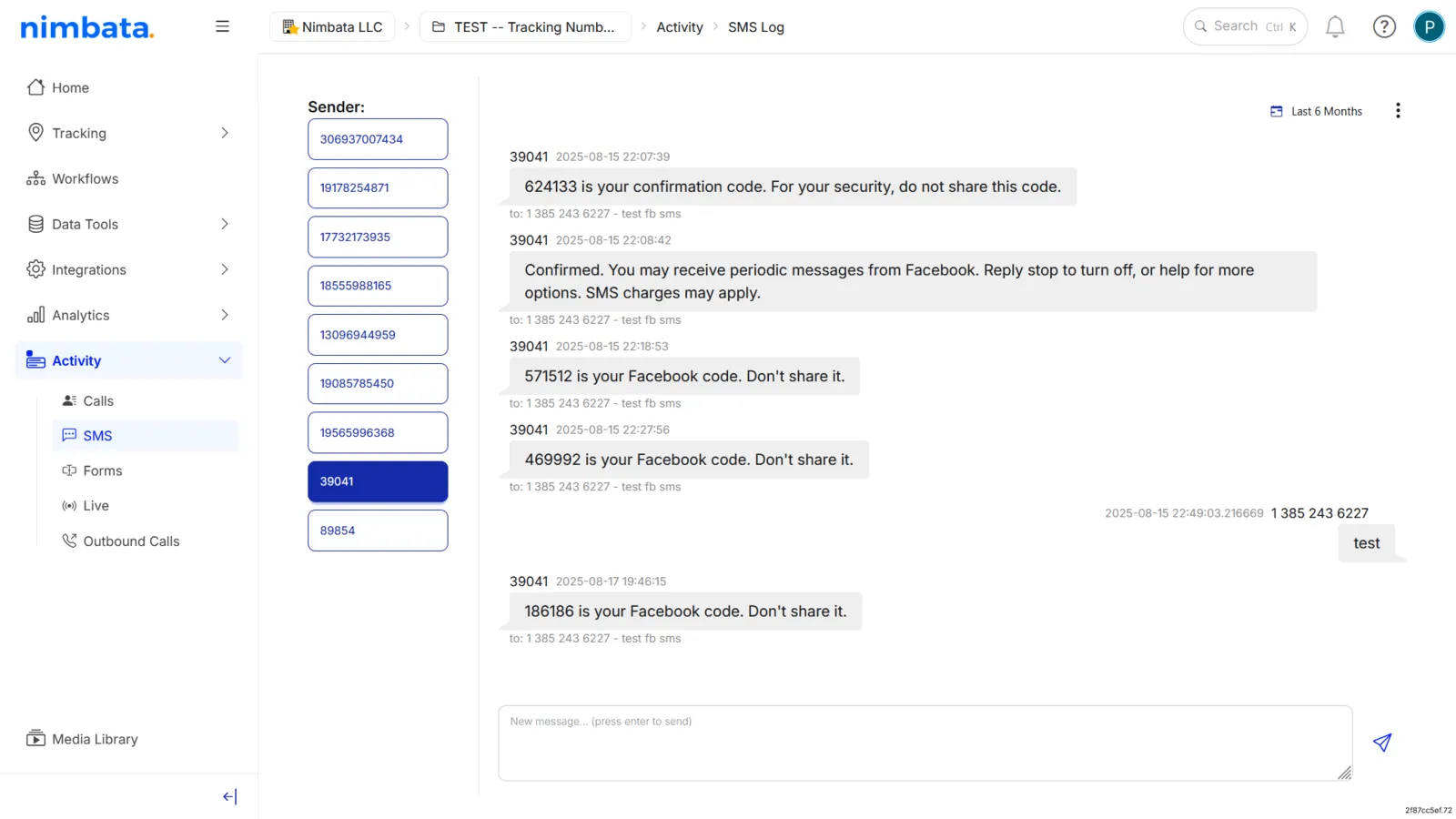
View and reply to messages in the SMS log
- Go to Activity > SMS.
- Select a conversation to read the messages.
- Type your reply and send directly from within Nimbata.
🎉 Done. Inbound SMS messages sent to your tracking numbers will now be forwarded to your destination phone and appear in your SMS log for easy replies.
Detailed guide: Assign a call flow