
Warning
White labeling is a $55 per month add-on, available on Pro, Marketing, and Agency plans.
White labeling replaces all Nimbata branding with your own, including the domain, logo, colors, and any mention of Nimbata in the scripts placed on your clients’ websites. Clients access a custom subdomain such as https://calls.yourdomain.com and see only your agency’s brand.
Step 1. Request your custom domain from support
Before configuring the white label settings, contact support@nimbata.com with the URL you want to use (for example, https://calls.yourdomain.com). The support team will provide the DNS CNAME steps needed to set up the subdomain with an SSL certificate in your hosting provider.
Step 2. Open the White Label settings
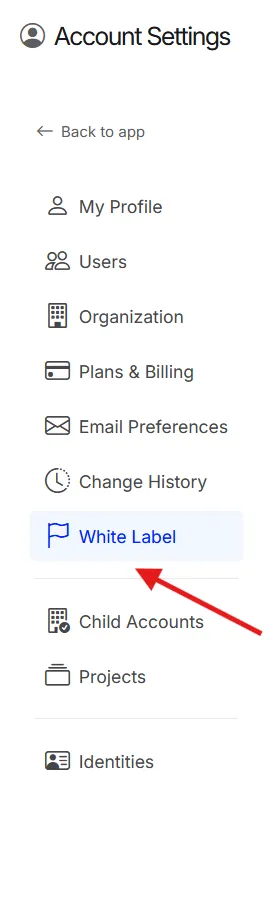
- Click your user avatar in the top-right corner.
- Select Account Settings.
- Click the White Label tab.
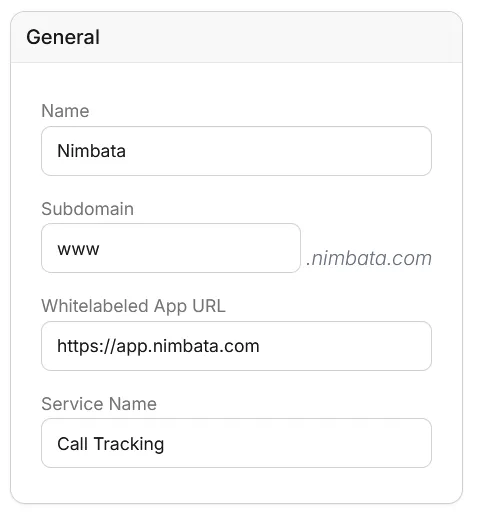
Step 3. Configure General Settings
- Add your Name, Subdomain, Whitelabeled App URL, and service name (the subheading shown to users).
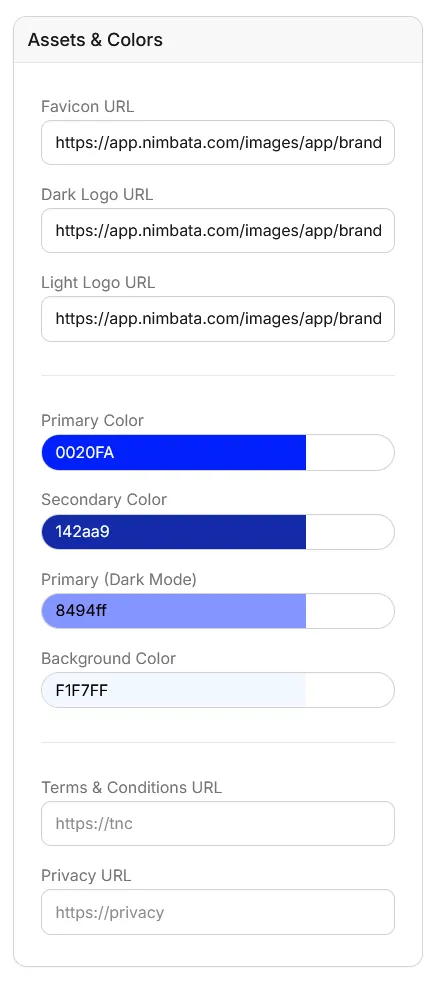
Step 4. Upload assets and set brand colors
- In the Assets & Colors panel, enter the web addresses of your images: Favicon URL, Dark Logo URL and Light Logo URL. The panel takes links to images you host, not uploads.
- Select the colors that match your agency’s branding: Primary Color, Secondary Color, Primary (Dark Mode) and Background Color.
- Optionally, add your Terms & Conditions URL and Privacy URL.
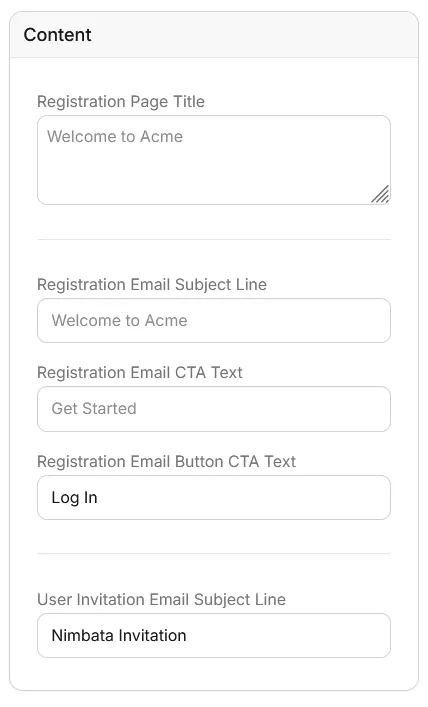
Step 5. Configure Content
- Fill in the Registration Page Title, Registration Email Subject Line, Registration Email CTA Text, Registration Email Button CTA Text, and User Invitation Email Subject Line.
Step 6. Add Business information
- Enter your Legal Name, Support Email, Telephone, and Contact Page URL.
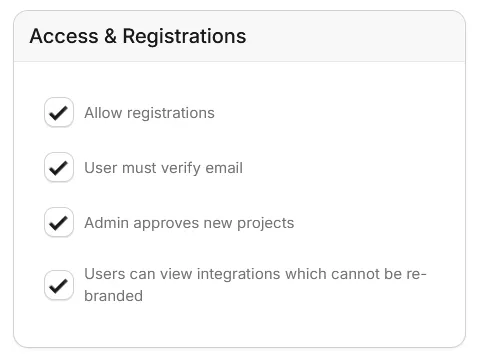
Step 7. Configure Access & Registrations
- Set your preferences for open registrations, email verification, admin approval for new projects, and integration visibility.
Step 8. Add a Tracking Script (optional)
- Paste your GA tracking code if you want to track visit activity on your white-labeled account.
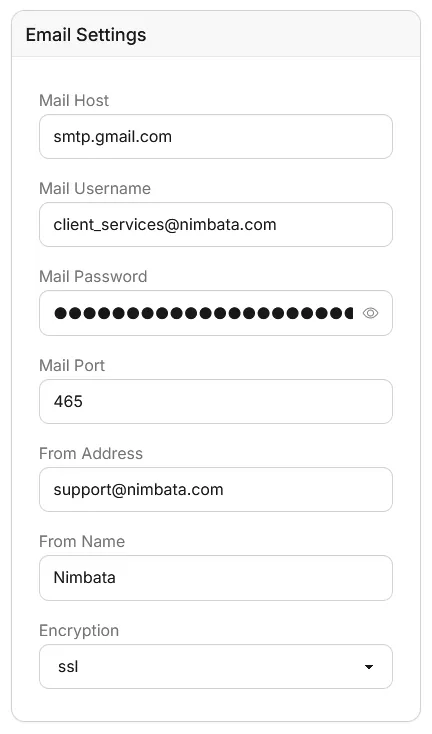
Step 9. Configure Email Settings
- Enter your Mail Host, Mail Username, Mail Password, Mail Port, From Address, From Name, and Encryption (none, ssl or tls).
🎉 Your white-labeled account is ready. Clients accessing your subdomain will see only your branding.
Detailed guide: Agency partners
Detailed guide: Pricing and extra charges